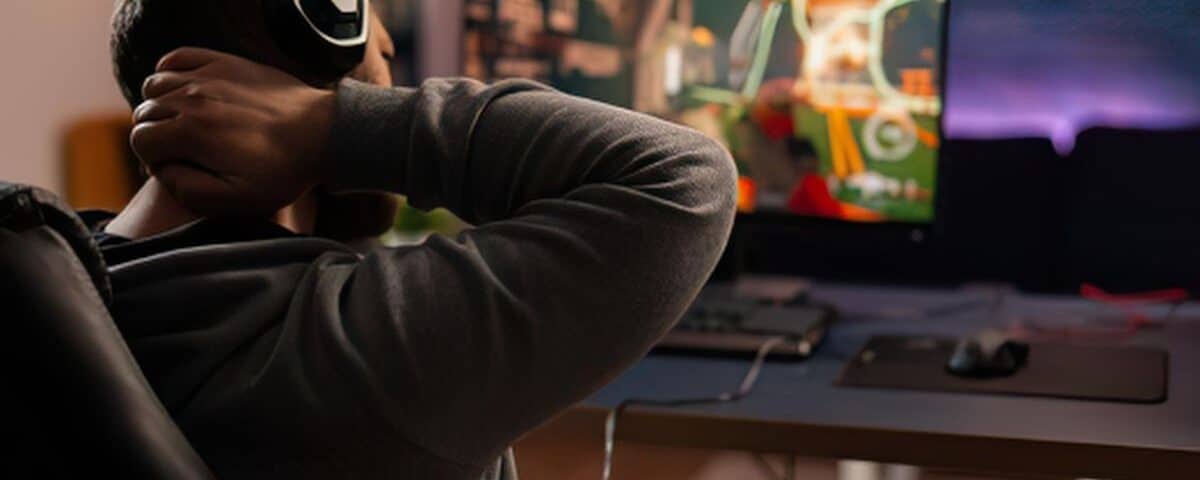
Hours behind a screen used to be something people did at work. For gamers, streamers, video editors, and digital content creators, those hours are where career ambitions are built, creative work happens, and genuine passion gets expressed. The problem is that the human body was not designed with extended screen sessions in mind, and the physical cost of an unoptimised setup compounds quietly over months and years until it becomes impossible to ignore.
Neck stiffness that limits how long a session can comfortably run, upper back tension that sets in before the first edit is finished, wrist discomfort that flares during long gaming stretches; these are not minor inconveniences. For anyone whose livelihood or identity is tied to screen-based work, they are direct threats to both performance and longevity. The encouraging reality is that most of this discomfort is preventable, and a great deal of what has already developed is treatable.
At The Chiropractors, ergonomic care extends well beyond the traditional office setting.Our ergonomics services support gamers and creators with the same science-backed approach to alignment, positioning, and body mechanics that we apply across all screen-intensive environments, combined with targeted chiropractic treatment for the strain that has already taken hold.
What Makes the Gaming and Creator Setup Uniquely Demanding
Gaming chairs, ultrawide monitors, mechanical keyboards, and high-refresh displays are chosen with performance in mind. Rarely are they arranged with the spine in mind, and that gap creates the conditions for a familiar set of physical complaints. A monitor positioned too low encourages the head to drop forward. A chair that cannot be adjusted to support the lower back causes the pelvis to tilt and the whole spine to follow. A keyboard placed too far forward forces the shoulders to round for every input.
None of these issues are exclusive to gaming or content creation, but the sheer volume of hours involved makes them considerably more significant. An office worker who sits poorly for eight hours five days a week is exposed to that strain for a fixed window. A creator who streams for six hours, edits for four, and games in between is accumulating postural stress in a different category altogether, and the body eventually makes that known.
Tech Neck: Understanding What Forward Head Posture Actually Does
Tech neck has become a widely used term, but the mechanics behind it deserve a clearer explanation. The head weighs a meaningful amount, and when it sits directly over the shoulders, the spine manages that load efficiently. For every centimetre the head moves forward from that neutral position, the effective load on the cervical spine increases substantially. Hours of sustained forward head posture place the muscles of the neck and upper back under continuous strain simply to hold the head up against gravity.
The result is the familiar tightness across the upper trapezius, the stiffness that makes turning the head feel effortful, and the tension headaches that tend to appear after prolonged sessions. Left unaddressed, sustained forward head posture also places pressure on the discs and joints of the cervical spine, which over time can contribute to accelerated wear on structures that do not regenerate easily. For a creator or gamer in their twenties or early thirties, the decisions made now about setup and treatment have a direct bearing on how their body holds up through their thirties, forties, and beyond.
Setting Up for Performance and Comfort
Optimising a gaming or creative workstation is not about sacrificing the aesthetic or the performance of the setup. It is about arranging what is already there, or making targeted additions, so that the body can sustain longer, more comfortable sessions without paying a physical price.
Monitor height is one of the highest-impact adjustments available. The top third of the screen should sit at eye level, which keeps the neck in a neutral position rather than encouraging the head to drop. Monitor arms make this adjustment straightforward and free up desk space in the process. For creators working across multiple displays, the primary screen should carry this positioning, with secondary monitors angled to minimise sustained lateral rotation of the neck.
Chair selection and setup matter just as much. A chair that supports the natural curve of the lower back keeps the pelvis in a position that allows the rest of the spine to stack correctly. Seat height should allow the feet to rest flat and the knees to sit at roughly a right angle, with thighs supported rather than pressed down at the edge of the seat. Armrests, when set correctly, allow the shoulders to drop rather than shrug, which reduces the chronic upper trapezius tension that affects so many creators and gamers.
Hand and wrist positioning deserves specific attention. A keyboard and mouse placed too far forward, or on a surface that is too high, creates the conditions for repetitive strain in the wrist and forearm structures. Keeping the elbows close to the body and the wrists in a neutral position during extended use reduces this risk considerably and protects against conditions like carpal tunnel syndrome developing over time.
How Chiropractic Care Addresses What the Setup Cannot Fix Alone
Workstation changes prevent further strain from accumulating, but they do not resolve the misalignments and tension that have already developed from months or years of an unoptimised setup. This is where chiropractic treatment works alongside ergonomic guidance to produce lasting improvement rather than partial relief.
Spinal adjustments address the postural misalignments that forward head posture and hunched positioning create in the cervical and thoracic spine. Soft tissue work releases the tension held in the muscles of the neck, upper back, and forearms, which often remain in a state of chronic tightness long after the postural triggers are removed. Stretching protocols designed for screen-intensive lifestyles help maintain the mobility gains achieved through treatment, giving creators and gamers practical tools to manage their physical wellbeing between sessions.
The combination of a properly arranged setup and targeted treatment is what produces the most durable results. One without the other tends to deliver partial improvement; together, they address both the cause and the consequences of tech-related strain.
Protecting the Career Behind the Screen
For professional streamers, competitive gamers, and full-time content creators, physical limitations directly affect earning capacity and creative output. Session lengths that are cut short by neck pain, editing work disrupted by wrist discomfort, or on-camera presence affected by tension headaches all carry real professional consequences. Treating the body with the same level of intentionality applied to equipment and content quality is not optional at this level; it is part of sustaining the career.
For those who game or create as a serious hobby rather than a profession, the stakes are different but the principle holds. A passion that causes ongoing physical harm eventually becomes harder to justify continuing. Removing that conflict, through a setup that supports the body and treatment that addresses existing strain, allows the activity itself to be what it should be.
Physical discomfort should not be the price of doing what you love behind a screen. With the right workstation setup and chiropractic support, gaming and creating can be genuinely sustainable.Contact The Chiropractors to see how our ergonomics services support gamers and creators.